
Welcome
ZeroTrain helps you use the data you already have to make clear, consistent decisions.

First Things First: The Concept
ZeroTrain treats your structured data as a live, editable model and evaluates it deterministically to produce a decision — without training, retraining, or frozen state.
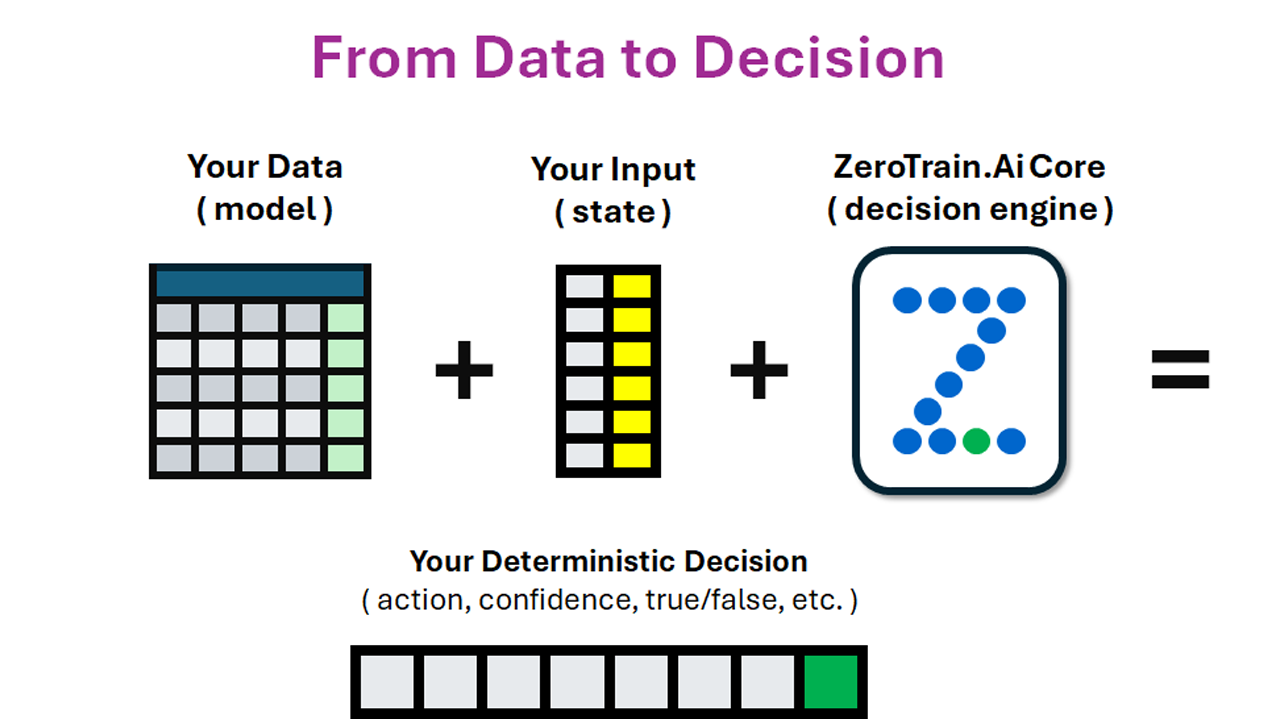
Your data already contains the answer.
ZeroTrain evaluates it to bring that answer forward.
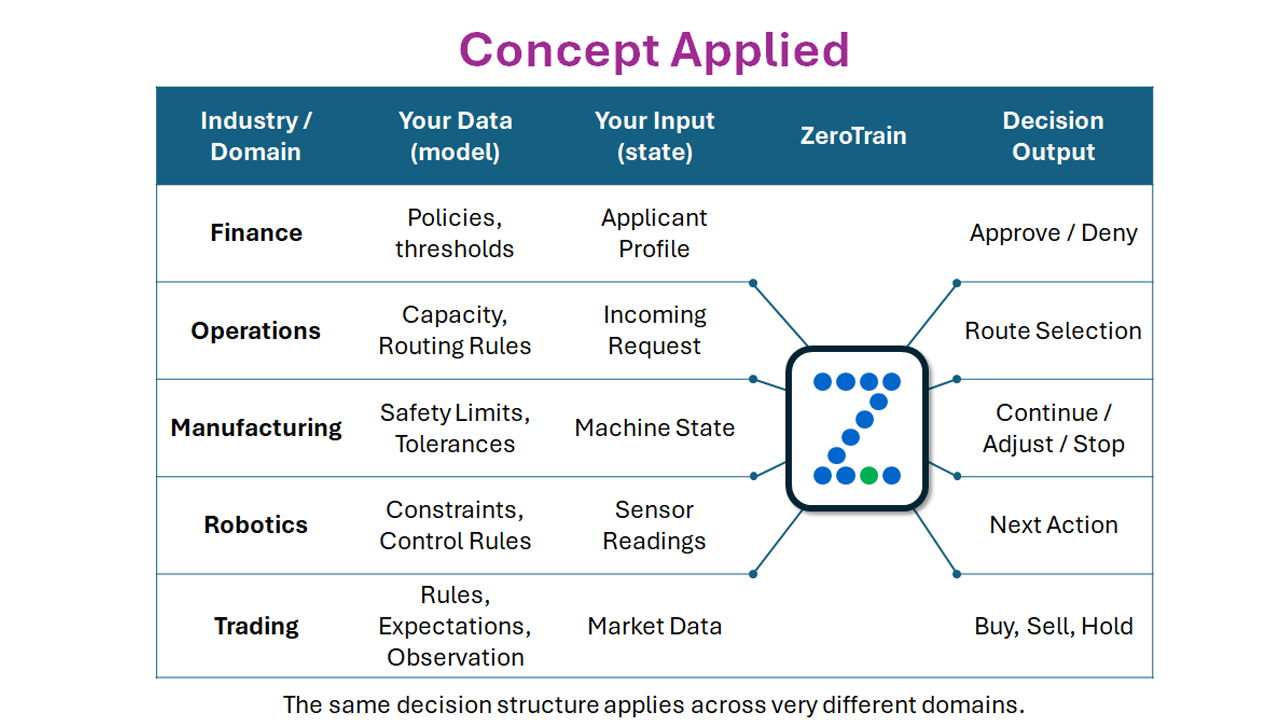
One Engine, Many Domains
The same decision mechanism applies across very different domains. Only the data, inputs, and rules change — the evaluation stays the same.
Subscribe to ZeroTrain AI Core
ZeroTrain requires an active subscription before it can be used in Power Automate. Subscriptions are securely managed through Microsoft Azure Marketplace.
Click the button below to select your plan and complete the subscription process. After subscribing, you will be redirected to activate your account and generate your API key.
ZeroTrain AI Core – Power Automate
Instructions: Using ZeroTrain in a Flow
ZeroTrain is used as a single decision step inside a workflow. You add the connector, provide your data and current context, and act on the returned decision.
The decision always comes from the Action column you define.

|
Find the ZeroTrain ConnectorAdd a new action to your flow and search for ZeroTrain. Select the ZeroTrain decision action to insert it into your workflow. You may see this listed as ZeroTrain Core. This is the product name for the ZeroTrain decision engine. This is the decision point in your flow. |
|
Attach Your Data and Current ContextConfigure the ZeroTrain action by providing your decision data and the current values from your flow. Your decision data must include an Action column. This column defines the value ZeroTrain will return.
Data defines the possible answers. |

|
Use the Returned DecisionZeroTrain evaluates the data and returns the action value from the matching row. Use this result to branch, route, or trigger downstream steps in your flow. ZeroTrain does not infer outcomes — the decision always comes from your data. |

Ready When You Are
ZeroTrain fits naturally into existing workflows, acting as a single, reliable decision point that replaces deeply nested conditions and scattered if/then logic.
Instead of growing complexity inside the workflow itself, decision behavior is defined in data and evaluated consistently wherever it is used.
Yes — You Have More Options
ZeroTrain.AI includes optional request parameters that allow you to fine-tune execution behavior without changing your model. These options provide greater flexibility for developers while keeping integrations clean and predictable.
You can control output modes, enable diagnostic tracing for deeper insight, adjust execution preferences, and access detailed usage feedback to better understand performance and throughput.
All optional parameters are documented in the Developer API Request Payload section.
Explore the Developer API